/ use-cases / github-actions-cron-monitoring
How to monitor a scheduled GitHub Actions workflow
A GitHub Actions cron schedule can be delayed, dropped or disabled without a failed run. A heartbeat ping alerts you when it stops running on time.
Updated
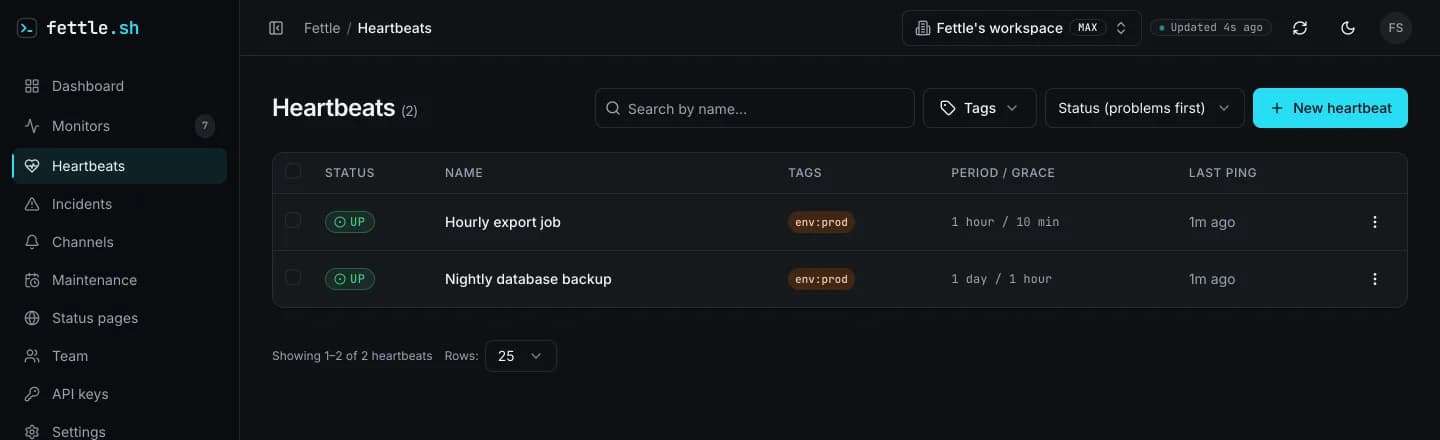
To monitor a scheduled GitHub Actions workflow, have the workflow report in when it runs and get an alert when the report stops arriving. Fettle is uptime monitoring for developers, and it does this with a heartbeat: the job calls a ping URL when it finishes, and Fettle opens an incident when the ping is late. GitHub tells you about a run that failed. A heartbeat also catches the run that never started, which leaves GitHub no failed run to report.
The pattern is the same as in the cron job monitoring guide,
which covers heartbeats for any scheduler. This guide is about what is specific to GitHub's
schedule: cron trigger and how to wire the ping into a workflow file.
Why does a scheduled GitHub Actions workflow not run?
A scheduled workflow runs only from the default branch, and GitHub may start it late or drop it when Actions is under heavy load. In a public repository, GitHub also switches the schedule off after 60 days without activity. None of these leaves a failed run behind, so nothing turns red and no notification goes out.
GitHub documents each of them on its
schedule event reference:
- It runs on the default branch only. A
scheduletrigger added on a feature branch, or left on a branch after the repository's default branch was switched to another one, never fires. GitHub's own words: "Scheduled workflows will only run on the default branch." - It can start late, or not at all. GitHub says the
scheduleevent "can be delayed during periods of high loads", that "high load times include the start of every hour", and that under enough load "some queued jobs may be dropped." A run that is dropped leaves nothing behind. - It is switched off after 60 days in a public repository. "In a public repository, scheduled
workflows are automatically disabled when no repository activity has occurred in 60 days." A
side project that is finished, and so quiet, is exactly the repository this happens to. It stays
off until someone re-enables it in the Actions tab or with
gh workflow enable, as the enable and disable guide describes.
And when a run does fail, the email goes to one person. "Notifications for scheduled workflows are sent to the user who last modified the cron syntax in the workflow file", or, after a disabled schedule is re-enabled, to whoever re-enabled it, per GitHub's notifications page. If that person has left the team or filters GitHub mail, a failing nightly job reaches nobody.
Two more facts from the
workflow syntax reference
shape the numbers below: the shortest interval GitHub runs a schedule at is once every 5 minutes,
and a schedule runs in UTC unless the entry sets an IANA timezone next to cron. A cron line of
0 9 * * * is 09:00 UTC, not 09:00 where you are.
What the heartbeat catches
A heartbeat expects a ping at least once every period plus grace. It does not care why the ping did
not come, which is the point here: a dropped run, a disabled schedule and a workflow file moved off
the default branch all end the same way. No ping arrives, the deadline passes, and Fettle opens an
incident. A run that starts and then fails, is cancelled or times out reports at once through
/fail, without waiting for the deadline.
What the heartbeat does not check is whether the job did the right thing. A step that exits 0 after exporting nothing still sends a success ping. Keep the job's own checks for that.
How to set it up
- Create a heartbeat in the dashboard under Heartbeats, or with a write-scoped API key as the
heartbeats reference shows. Name it after the workflow. Set the period to the
schedule's interval, from 60 seconds to 30 days, and the grace to how late a run may be before
it counts as missing, from zero to 30 days. Fettle returns a ping URL of the form
https://api.fettle.sh/v1/heartbeat/<token>. - Store the ping URL as a repository secret. The token at the end of the URL is the only
credential a ping needs, so it belongs in a secret, not in the workflow file. In the repository,
open Settings, then Secrets and variables, then Actions, and add a secret named
FETTLE_PING_URL, or rungh secret set FETTLE_PING_URL. GitHub's secrets guide covers both ways, and GitHub masks secrets in the run's logs. - Add the ping steps to the workflow. One step at the start, one after the work on success, one when the job fails or is cancelled:
name: Nightly export

on:
  schedule:
    - cron: "17 3 * * *"
  workflow_dispatch:

jobs:
  export:
    runs-on: ubuntu-latest
    timeout-minutes: 30
    env:
      PING_URL: ${{ secrets.FETTLE_PING_URL }}
    steps:
      - name: Report start
        continue-on-error: true
        run: curl -fsS -m 10 --retry 3 "$PING_URL/start" > /dev/null

      - uses: actions/checkout@v7

      - name: Run the export
        run: ./scripts/export.sh

      - name: Report success
        continue-on-error: true
        run: curl -fsS -m 10 --retry 3 "$PING_URL" > /dev/null

      - name: Report failure
        if: ${{ failure() || cancelled() }}
        continue-on-error: true
        run: curl -fsS -m 10 --retry 3 "$PING_URL/fail" > /dev/null
The success step has no if, so it gets GitHub's default condition, success(), and runs only
when every step before it passed. The last step runs when one of them failed or the run was
cancelled: per GitHub's
expressions reference,
failure() "returns true when any previous step of a job fails" and cancelled() "returns
true if the workflow was canceled." A run that hits timeout-minutes is cancelled too: it is
"the maximum number of minutes to let a job run before GitHub automatically cancels it", and the
default is 360. continue-on-error: true keeps the pings from deciding the job's fate, so an
outage on the monitoring side never stops the export or marks a good run as failed.
The /start ping is optional, and it counts as a ping: it moves the deadline out by period plus
grace, and the next success ping records how long the run took. So a run that starts and never
finishes is caught by the failure step, long before the deadline that /start just pushed out. That is why the failure step also runs
when the job is cancelled or times out, and why the job sets a timeout-minutes close to how long
the work should take.
Each ping accepts GET or POST, needs no API key and no body, and is rate limited per token, so a
plain curl is all a step needs. -f makes curl exit non-zero on an HTTP error, -m 10 caps
each attempt at ten seconds, and --retry 3 retries a timeout or a transient HTTP error such as 429 or 503, as
curl's manual describes.
- Run it once by hand. A new heartbeat stays pending, and is never counted late, until its
first success ping. The
workflow_dispatchtrigger in the example adds a Run workflow button to the Actions tab, so you can arm the heartbeat now instead of waiting for the first scheduled run.
The cron line runs at 03:17 rather than 03:00 on purpose. GitHub names the start of every hour as a high-load time and advises: "To decrease the chance of delay, schedule your workflow to run at a different time of the hour." Any minute other than the top of the hour is a cheap way to stay out of the queue that forms there.
How to size the period and grace
Set the period to the schedule's interval and use grace to absorb GitHub's delays and the run's own length. The deadline is the last ping plus period plus grace, so a grace of exactly one period puts it at the very moment the run after a dropped one is due, and any delay then alerts. GitHub does not publish how late a delayed run can start, so pick a grace from how late the job's output may be, not from a guess about the queue.
- A nightly workflow (
17 3 * * *): period 86400, grace 3600. A run that has not reported by an hour past its usual time pages someone. - A workflow every 15 minutes (
*/15 * * * *): period 900. With a grace of 1200, one period plus five minutes of slack, one dropped run is tolerated and the second in a row alerts. With a grace of 300, a single dropped run alerts. - A workflow at GitHub's 5-minute floor: period 300 and a grace of more than one period, for example 420, since at that rate a late or dropped run is common enough that one alone should not page anyone.
Grace may be longer than the period. It is slack added on top of it, and a heartbeat goes late only once period plus grace has passed since the last ping.
Where the alert goes
Heartbeat alerts go by email and Telegram on every plan, and to Slack, Discord or a webhook from Plus. Pick a channel the team watches, so the alert does not depend on who last edited the cron line. When you turn a workflow off on purpose, pause its heartbeat too, then resume it when the workflow is back; the clock restarts at the next success ping.
Heartbeats per organization: 3 on Free, 20 on Plus, 50 on Pro and 150 on Max. What each plan includes is on the pricing page, and the heartbeat monitoring page sums up the feature. More setups for scheduled jobs and hosted apps are in the use-case guides.
Questions
- Why did my scheduled GitHub Actions workflow not run?
- The usual reasons are that the cron trigger lives on a branch other than the default one, that the run was delayed or dropped while GitHub Actions was under heavy load, or that GitHub disabled the schedule after 60 days without activity in a public repository.
- Does GitHub tell me when a scheduled run is skipped?
- GitHub notifies about scheduled runs that fail, and it sends that to one person: whoever last edited the cron line, or whoever re-enabled a disabled schedule. A run that is never queued has no failure to report, so a skipped or disabled schedule stays quiet. A heartbeat alerts on the missing ping instead.
- Can a heartbeat watch a workflow that runs every five minutes?
- Yes. Five minutes is GitHub's shortest schedule and a heartbeat period can be as short as 60 seconds. Give it a grace of more than one period, such as 420 seconds on a 300-second period, if a single delayed or dropped run should not page anyone.
Start monitoring in a minute
The free plan checks up to 20 monitors as often as every 3 minutes from 1 region, and emails you when one breaks. See pricing for the paid intervals, or follow the quickstart to do it from the API.