/ use-cases / cron-job-monitoring
How to monitor a cron job with a heartbeat
A cron job that stops running fails no request and throws no error. Here is how a heartbeat catches the silence before you do.
Why the obvious signals miss a stalled cron job
Everything in the rest of this site is about checking whether something answers: an HTTP request to a URL, a TLS handshake, a DNS lookup. A scheduled job usually has none of that to check. A nightly backup, an hourly export, a billing run, a cache warm — most of them are a process that starts, does work, and exits, with no listener on the other end. There is no request to send and no response to fail.
That is exactly what makes a stalled cron job dangerous: it fails silently by default. If the cron daemon never fires, the absence of an execution is invisible — nothing errors. If the job runs inside a container that gets rescheduled or redeployed and the crontab does not come back with it, the same silence follows. If the job exits early on an unhandled exception, nothing is watching its exit code unless you built something to watch it. If the job is still running long past when it should have finished — stuck on a lock, a slow query, a hung connection — no one is alerted unless the job's own code has its own timeout. And a script that returns 0 can still have done nothing useful if its input turned out to be empty; a clean exit is not the same claim as a correct one.
None of the previous four failure modes trip a health check, because there is no check to trip. The job does not fail a request — it simply does not run, or does not finish, and the calendar just keeps going without it. The only way to catch that class of failure is to expect a signal from the job and notice when it stops arriving. That is a heartbeat, sometimes called a dead man's switch: instead of monitoring watching goes out and checking that something answers, monitoring waits for something to check in, and the alert fires on silence rather than on a bad response.
What is worth monitoring
Not every job needs the same watch. What is worth wiring a heartbeat to:
- Anything that runs unattended on a schedule and whose failure would not be noticed until someone needed the thing it was supposed to produce — a backup, an export, a report, a billing sweep.
- Anything with a real deadline, not just a rough cadence — a job that has to finish before a downstream process reads its output is worth a tighter grace window than one that is simply "roughly nightly."
- Long-running jobs where "still running" and "hung" look identical from the outside for a while — those benefit from a mid-run signal, not just a start and an end.
- Jobs that already catch and log their own errors internally. A job with real error handling can report a failure the moment it happens instead of waiting for a deadline to pass.
What a heartbeat cannot tell you is whether the job did the right thing — it confirms the job ran, not that its output was correct. Pairing it with the job's own logging or a downstream data check still matters; the heartbeat's job is narrower than that, and worth being honest about.
How to set it up in Fettle
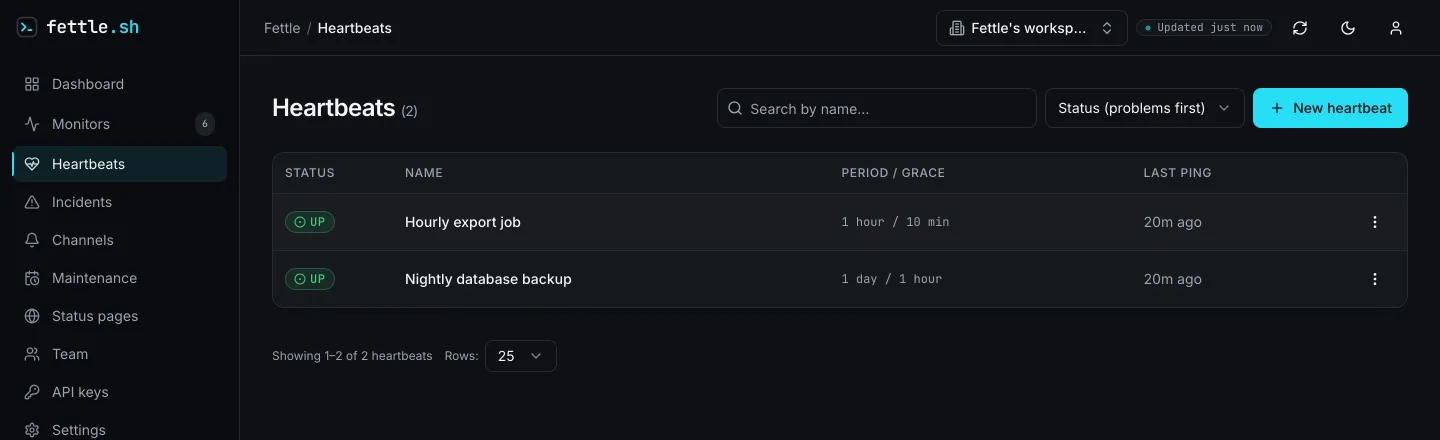
- Create a heartbeat — from the dashboard, or with a write-scoped API key — and name it after
the job it watches. Set
period_secondsto the job's expected cadence — anywhere from 60 seconds to 30 days — andgrace_secondsto how much lateness is tolerable before it actually matters, from zero up to the period itself; grace cannot exceed the period, since it is slack within the expected interval, not a second interval stacked on top. - Fettle generates a ping URL for the heartbeat, in the form
https://api.fettle.sh/v1/heartbeat/<token>. The token in that URL is the only credential the ingest endpoint checks — no API key is needed to call it, which is what makes it safe to paste straight into a crontab line or a CI job. - Append the ping as the last thing the job does, so it only fires on success:
./run-nightly-backup.sh && curl -fsS https://api.fettle.sh/v1/heartbeat/YOUR_TOKEN
The endpoint accepts a bare GET as well as POST, so a plain curl with no method flag works
from any shell, wget, or CI step that can make an HTTP request.
- For a job long enough that a stall partway through matters, ping the
/startpath when the job begins, before the ping in step 3. It does not change the heartbeat's state, but it does push the deadline out by anotherperiod + gracefrom that moment — so a job that is still legitimately running does not trip the switch mid-execution. If the job's own code already catches its failures, call/faildirectly instead of waiting for the deadline to pass; it opens an incident immediately rather than after the grace window elapses.
A ping that lands anywhere within period + grace of the last one is simply on time — nothing
alerts. Only once that window elapses with no ping does the heartbeat flip to overdue and an
incident opens. Grace is still a judgment call, not a formula — the
uptime/SLA calculator won't derive one for you, but it is a useful
gut-check: feed it a target like 99.5% and it shows the total downtime that allows over a day,
week, month or year, which helps calibrate how strict "basically always on time" should feel
before you pick a grace value.
Prefer an MCP-aware client to raw curl? Point it at the same account with this one-liner:
{
  "mcpServers": {
    "fettle": {
      "url": "https://api.fettle.sh/mcp",
      "headers": { "Authorization": "Bearer fettle_your_key_here" }
    }
  }
}
Which alerts to wire
A missed heartbeat has no other alarm attached to it, so the channel it reaches matters more here than for a monitor backing up a platform's own dashboard. Fettle sends heartbeat alerts by email, Slack, Telegram or a generic webhook — wire the same channel your team already gets paged on for production incidents, since a stalled job caught days later, once someone notices stale data, is a worse outcome than a noisy alert.
Two habits keep it from becoming noise of its own. First, if you know in advance that a job will not run — a deliberate migration, a maintenance freeze on the system it depends on — pause the heartbeat itself rather than letting it go overdue and page someone; pausing stops the clock and silently closes anything already open, and resuming picks it back up. Second, set a notification cooldown on the heartbeat so a job stuck DOWN for hours does not repeat the same alert on every sweep — one heads-up when it goes overdue is usually enough until it recovers or someone acts on it. How many heartbeats and alert channels each plan includes is on the pricing page; the full walkthrough for generating a key and reading heartbeat state back through the API is in the quickstart guide.
Questions
- What is a heartbeat monitor?
- It is the inverse of an uptime check. An uptime check fails when a request to your app fails; a heartbeat fails when an expected ping from your job does not arrive on schedule.
- What happens if my job runs a few minutes later than usual?
- Nothing, as long as it pings within period plus grace. Grace is slack you configure on top of the expected cadence specifically so ordinary jitter does not trigger an alert.
- Can Fettle monitor a job that has no public URL at all?
- Yes — a heartbeat needs nothing inbound. The job makes one outbound request to a ping URL Fettle gives it; there is no endpoint on your side for anything to reach.
Start monitoring in a minute
The free plan checks up to 20 monitors as often as every 2 minutes from 2 regions, and emails you when one breaks. See pricing for the paid intervals, or follow the quickstart to do it from the API.